|
Page last updated 3/24/21
To recover a forgotten username or password:
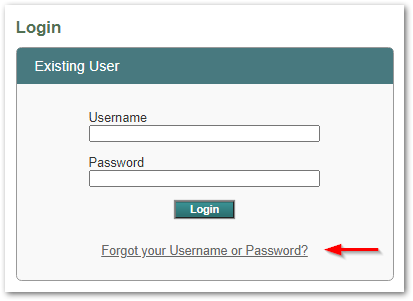
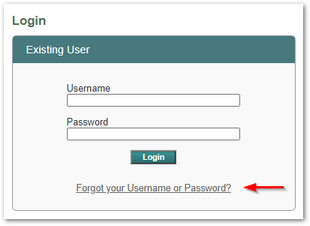
1.Click the Forgot your Username or Password? link below the Login button.
2.Next you'll see a Forgot Password page that looks like this: 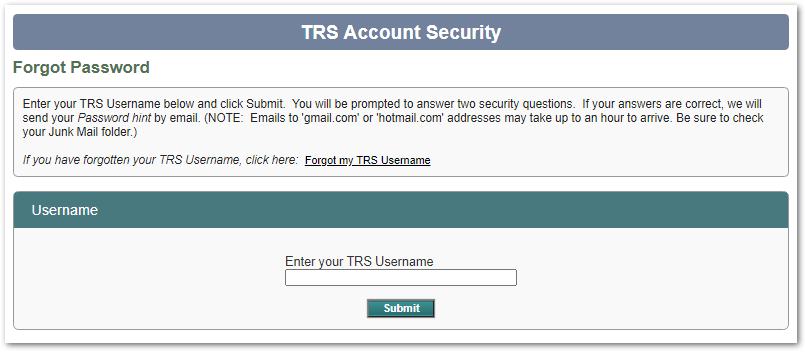
 If you can't remember your password: If you can't remember your password:
•On the Forgot Password page, enter your TRS Username and click Submit. •You will be prompted to provide answers to the security questions you set up when you created your login account.
oIf your security answers are correct, an automated email containing your Password Hint will be sent to the email address on file for you. (TRS does not know your actual password.) oIf your answers are not correct, follow on-screen instructions to contact TRS for assistance.
▪Please note that automated emails sent to 'gmail.com' or 'hotmail.com' addresses may take up to an hour to reach your inbox. Be sure to check your Junk Mail or Spam folder in case the message was filtered out.
If you received your Password Hint but you still can't remember your password:
▪Follow instructions in the email to call TRS. Assistance is available 8:00 am - 5:00 pm Monday through Friday (except State holidays). TRS does not know your password, but can help you establish a new one.
If you can't remember your TRS Username:
•On the Forgot Password page, click the link that says "Forgot my TRS Username"
•When prompted, enter your first name, last name, and email address. The system will attempt to find a matching TRS user account.
oIf a match is found, you'll receive an automated email to the address you entered when you originally created your user account. The email will include your TRS Username and the Password Hint you originally created for yourself.
▪Note: Automated emails sent to 'gmail.com' or 'hotmail.com' addresses may take up to an hour to reach your inbox. Be sure to check your Junk Mail or Spam folder in case the message was filtered out.
oIf NO match is found, a message will display instructing you to call TRS for assistance.
Back to Top
|